Best TF2 Trading Sites in 2026: An Honest Comparison
Mannco.store, backpack.tf, marketplace.tf, scrap.tf, STN, Quicksell and the Steam Market compared: fees, cash-out options, bots and what each is best for.
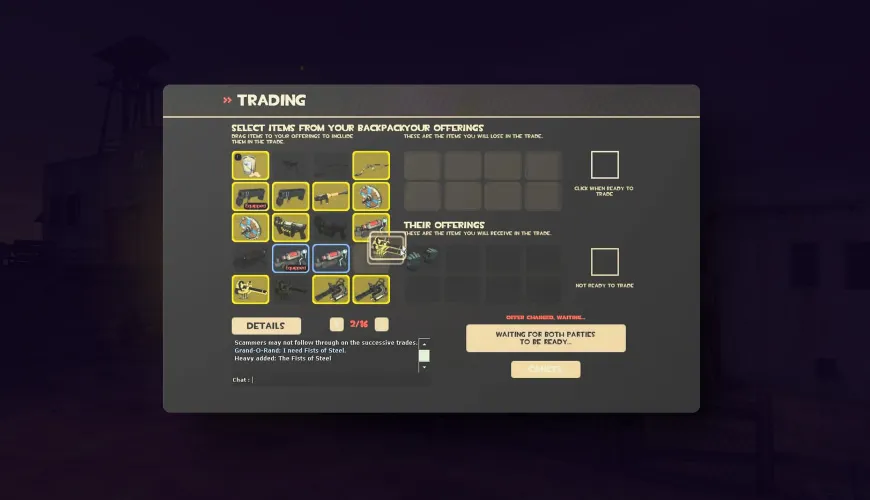
Searching for "TF2 trading sites" turns up dozens of names. Most of them do one of four quite different jobs. Some are cash marketplaces where you buy and sell items for real money. Some are automated trading bots that swap items for keys and metal. Some are classifieds and price guides that connect traders. And some are not trading sites at all.
This guide compares the best-known TF2 trading websites in 2026 on what they do, what they charge, and who they suit. We run Mannco.store, so we've tried to be fair: where another site does a job better, we say so. Fees and features change, so treat anything you read here as a starting point and check each site's own fee page before you sell.
Quick Comparison Table
| Site | Type | What you trade for | Seller fee | Can you cash out? | Best for |
|---|---|---|---|---|---|
| Mannco.store | Cash marketplace with bots | Cash balance | 5% | Yes: bank transfer or PayPal (as stated on the site) | Buying and selling TF2 items for real money, multi-game |
| backpack.tf | Price guide and classifieds | Keys, metal, items (player to player) | No sale fee for normal Steam trades | No (not a marketplace) | Price checking and finding trade partners |
| marketplace.tf | Cash marketplace with bots | Cash balance | 10% standard (per its seller guide) | Yes: PayPal (per its seller guide) | Selling to buyers who pay cash, TF2 and Dota 2 |
| Steam Community Market | Valve's official market | Steam Wallet funds | 5% Steam + 10% TF2 fee | No, the funds stay in Steam | Convenience and buying with wallet funds |
| scrap.tf | Automated bots | Metal and keys | Bot buy/sell spread | No | Swapping weapons and hats, raffles |
| STN Trading | Automated bots | Keys and metal | Bot buy/sell spread | No | Quick key/metal trades for most item types |
| Quicksell.store | Automated bots | Keys | Bot buy/sell spread | No | Fast sales of items and unusuals for keys |
| loadout.tf | 3D loadout preview | Nothing (not a trading site) | n/a | n/a | Previewing cosmetics before you buy |
How TF2 Trading Websites Differ
Before getting into each site, it helps to know what you actually want.
- You want real money for your items. You need a cash marketplace (Mannco.store, marketplace.tf). The Steam Market pays out in Steam Wallet funds, which you can spend on Steam but not withdraw.
- You want to swap items without touching cash. Bot sites (scrap.tf, STN, Quicksell) trade instantly for keys and metal. Their price is the difference between what the bot pays and what it charges.
- You want to know what something is worth. Use a price guide (backpack.tf). It is the community reference for TF2 prices, especially for unusuals.
- You want to see how a hat looks before buying. Use a preview tool (loadout.tf).
Mannco.store
Mannco.store is a marketplace for TF2, CS2, Rust and Dota 2 items. Everything listed on the TF2 market is already held by our trading bots. You add items to a cart, pay, and withdraw them through a trade offer from a bot. According to the site, the withdrawal normally takes under a minute.
What Mannco.store states about selling:
- 5% seller fee, which the site says is the only fee charged on a sale;
- you set your own price when you deposit an item, and the sale completes when a buyer takes it;
- instant sell is available if you'd rather not wait: you get a quoted price immediately, at a slightly lower return;
- your balance can be withdrawn to a payout method such as a bank transfer or PayPal, or spent on the market;
- one balance is shared across all four games, so TF2 sales can pay for CS2 skins and the other way round.
On the security side, sign-in uses Steam OpenID (you never enter your Steam password on the site), two-factor authentication is available on every account, and every trade goes through Mannco.store's own bots rather than between strangers. There are also auctions and free giveaways.
Where it's weaker: Mannco.store is not a classifieds site, so it doesn't help with complex item-for-item haggling, and it isn't the community's reference for unusual prices. For those, backpack.tf is the better tool.
backpack.tf
backpack.tf is the best-known TF2 price guide and classifieds site. Traders post buy and sell listings, and the trades themselves happen as normal Steam trade offers between players. The site does not hold your items. Its community-driven prices are what most traders quote in keys and refined metal, and its unusual pricing data is the most widely used reference in the TF2 economy.
Best for: checking what an item is worth before you buy or sell anywhere, and finding a specific player to trade with.
Watch out for: because you trade directly with other users, you are responsible for checking every trade offer. Impersonator profiles and fake trade offers are the most common scams in TF2 trading.
marketplace.tf
marketplace.tf is a long-running cash marketplace for TF2, Dota 2 and other Steam items. Like Mannco.store, it holds items with bots so buyers get them straight away. According to its own seller guide, the standard selling fee is 10%, and sellers can withdraw to PayPal or spend their balance on the site.
Is marketplace.tf safe?
marketplace.tf has been part of the TF2 trading scene for many years and is widely used. It works on the same bot-held, pay-then-receive model as other established cash marketplaces. As with any trading site, the main risks come from outside the site itself. Make sure you are on the real domain, only accept trade offers that match what you bought, and never share your Steam login or Steam Web API key with anyone.
Compared with Mannco.store: for sellers, the main difference is the fee. Mannco.store states 5%, while marketplace.tf's seller guide states 10% as standard. On a $100 sale, that's $95 against $90 before any payout costs. Check both sites' current fee pages, because fees can change.
Steam Community Market
Valve's own market is the most convenient option: no extra sign-ups, and every TF2 item is there. But for sellers it is the most expensive. A TF2 sale on the Steam Market carries a 5% Steam transaction fee plus a 10% Team Fortress 2 game fee, according to the TF2 Wiki. That's roughly 15% in total.
The bigger limit is that money from the Steam Market goes into your Steam Wallet, where you can spend it on games and items but cannot withdraw it. Not every item can be listed on the market either, and new or recently traded items may come with restrictions.
Best for: turning items into Steam Wallet funds to buy games, or buying with funds you already have in your wallet.
scrap.tf
scrap.tf describes itself as an "automated banking site". Its bots buy and sell TF2 weapons, hats, unusuals, war paint skins, killstreak kits, strange parts and more, all for metal and keys. It is also known for its raffles, where users give away items, and for bot auctions.
Best for: turning spare weapons into scrap metal, smelting, quick hat swaps, and joining raffles. You won't cash out to real money here.
STN Trading
STN Trading is an automated TF2 trading site. According to its homepage, it has been part of the TF2 trading community since 2013 and has processed millions of trades. Its bots trade keys, hats, unusuals, stranges, vintages, genuines, war paint skins and killstreak kits for keys and refined metal. STN says all its trades are two-sided, meaning you always receive something in return.
Best for: quick key and metal trades across almost every TF2 item category, with a large stock.
Quicksell.store
Quicksell.store calls itself an automated TF2 trading site where you can buy and sell items or unusuals for keys, or swap one item for another. It's built for speed rather than top value. Like any bot site, the price it pays is below what it sells for.
Best for: getting keys for an item quickly without listing it and waiting for a buyer.
loadout.tf (Not a Trading Site)
loadout.tf comes up in a lot of "TF2 trading website" searches, but it doesn't trade anything. It's a 3D loadout preview tool: you pick a class, cosmetics, paints and effects and see how they look together. It's very useful before a big purchase. Preview the hat and unusual effect on loadout.tf, then buy it on a marketplace.
TF2 Trading Bots: How They Work
Most of the sites above rely on trading bots: Steam accounts run by software that send and accept trade offers automatically. When you buy from a bot site, the bot sends you a trade offer containing the item. When you sell, you send the bot your item and it pays you in keys, metal or site balance.
Bots have three big advantages over trading with players:
- They're instant. No waiting for someone to come online.
- The price is fixed. No haggling, no "add a ref".
- They lower the risk. On established sites, the trade terms are set by the site, not by a stranger.
The trade-off is price. Bot sites earn their margin on the gap between what they pay and what they charge, and cash marketplaces earn it through a seller fee. Trading directly with players through classifieds can get you a better price, but it takes more time and you have to watch out for scams yourself.
Staying Safe With Trading Bots
- Only accept trade offers you started. Real bot sites send offers right after you click to buy or sell, and the offer contents match your order.
- Check the bot's identity. Scammers copy bot names and avatars. Compare the profile with the bot list on the site you're using.
- Never share your Steam Web API key. A leaked API key lets scammers watch and cancel your trade offers and swap them for fake ones.
- Use Steam Guard Mobile Authenticator. It confirms trades on your phone and, under Steam's rules, avoids long trade holds.
Which TF2 Trading Site Is Best?
There isn't one best TF2 trading site for every job. A sensible setup for most traders in 2026 is:
- backpack.tf to check prices;
- a bot site (scrap.tf, STN or Quicksell) for quick key and metal swaps;
- a cash marketplace when you want real money out, or want to buy with a card instead of keys.
For that last job, we think Mannco.store is hard to beat: a 5% seller fee, bot-held stock with near-instant withdrawals, instant sell when you need it, and payouts to bank transfer or PayPal. And if you're still building up your backpack, our guides on how to get free keys in TF2 and how many TF2 items exist are good next reads.
FAQ
What is the best TF2 trading site?
It depends on what you need. backpack.tf is best for price checking and classifieds, bot sites like scrap.tf and STN are best for quick key and metal trades, and cash marketplaces like Mannco.store are best for selling TF2 items for real money.
Is marketplace.tf safe?
marketplace.tf is a long-established TF2 marketplace that holds items with bots. The usual risks come from phishing copies of the site, fake trade offers and leaked API keys, not from the marketplace itself. Always check the domain and the trade offer.
Which TF2 trading website has the lowest fees?
For cash sales, Mannco.store states a 5% seller fee, compared with 10% standard on marketplace.tf (per its seller guide) and about 15% on the Steam Community Market. Bot sites don't charge a listed fee, but they pay you less than they sell for.
Can I sell TF2 items for real money?
Yes, on a cash marketplace. On Mannco.store you deposit items, set a price or use instant sell, and withdraw your balance to a payout method such as a bank transfer or PayPal. Steam Market sales can't be withdrawn.
Are TF2 trading bots safe?
Bots on established sites are generally safe. The risk is impersonator bots and fake trade offers, so only accept offers you started yourself and never share your Steam Web API key.
Is loadout.tf a trading site?
No. loadout.tf is a 3D preview tool for TF2 loadouts. You can't buy, sell or trade items on it.
مقالات ذات صلة
Scream Fortress 2026: TF2 Halloween Event Guide
Scream Fortress XVIII is live until 7 November 2026. New maps, the Haunted Hoard Case, 21 unusual effects, spells and restricted cosmetics explained.
TF2 Ultra High Graphics Settings: 2026 Guide
Enhance your TF2's gaming experience and graphics potential with our TF2 guide to Ultra High Graphics Settings.
Is TF2 still popular 2026?
Is TF2 still a hit in 2026? Explore the popularity of Team Fortress 2 in the gaming world today. Find out if it's still thriving!