How to 1v1 in CS2 (CS:GO): Servers, Lobbies & Commands
How to 1v1 in CS2 in 2026: private lobbies with friends, community 1v1 and arena servers, Wingman, and console commands that still work.
A 1v1 is the purest test of skill in Counter-Strike: no teammates, no trades, just your aim, movement and decisions against one opponent. Counter-Strike 2 has no official 1v1 matchmaking queue, but there are still several easy ways to play one.
CS2 replaced CS:GO in September 2023, and a few things changed along the way. Some old CS:GO methods, like the separate dedicated server download and the "Offline with Bots" menu, no longer exist. This guide covers the ways to 1v1 in CS2 that work in 2026:
- A private match with a friend on your own listen server;
- Community 1v1 and arena servers from the Community Server Browser;
- Wingman, the official 2v2 mode, as the closest matchmade alternative;
- Your own dedicated server for regular 1v1s or tournaments.
To win those duels, you'll also need a good feel for the map, solid crosshair placement and clean movement. We cover that at the end.
How to Set Up a 1v1 With a Friend in CS2
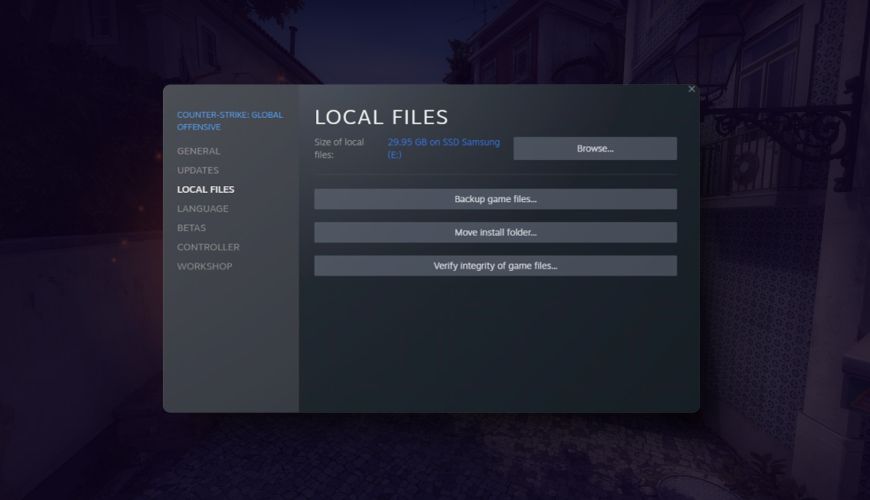
The quickest way to 1v1 a friend is to host a private match on your own PC and let them join. Here's how:
- Enable the developer console. Go to Settings → Game and set "Enable Developer Console (~)" to Yes.
- Invite your friend to your lobby. Open the friends list in the CS2 main menu and invite them, or accept their invite.
- Start a private map. Choose Play → Practice, pick a map and start it. You can also open the console with the tilde (~) key and type, for example,
map de_dust2. Players in your lobby join your server, and other friends can join from the Steam friends list. - Remove the bots and set the rules. Paste the commands below into the console.
- Start the match. Type
mp_restartgame 1to restart with your settings.
These console commands work in CS2's private matches. Settings that affect cheats need sv_cheats 1, but everything else works without it:
| Command | What it does |
|---|---|
bot_kick | Removes all bots from the server |
mp_autoteambalance 0 | Stops the game moving players between teams |
mp_limitteams 0 | Lets you put any number of players on a team |
mp_warmup_end | Ends the warmup immediately |
mp_freezetime 3 | Sets freeze time at round start, in seconds |
mp_roundtime 1.5 | Sets round length, in minutes (use mp_roundtime_defuse on bomb maps) |
mp_buytime 20 | Sets how long the buy menu stays open, in seconds |
mp_startmoney 16000 | Sets starting money for both players |
mp_maxrounds 30 | Sets how many rounds the match lasts |
mp_restartgame 1 | Restarts the match after 1 second |
sv_cheats 1 | Unlocks practice commands like sv_infinite_ammo 1 and noclip |
Pick one player for each side using the team menu (default key M). For aim duels with no buying, set mp_startmoney 0 and give both players the same weapon with give weapon_ak47 (this needs sv_cheats 1).
If you want aim-map style duels, browse the Steam Workshop for CS2 1v1 or aim maps. Subscribe to a map, then start it from Play → Workshop Maps with your friend in the lobby.
How to Play 1v1 on CS2 Community Servers
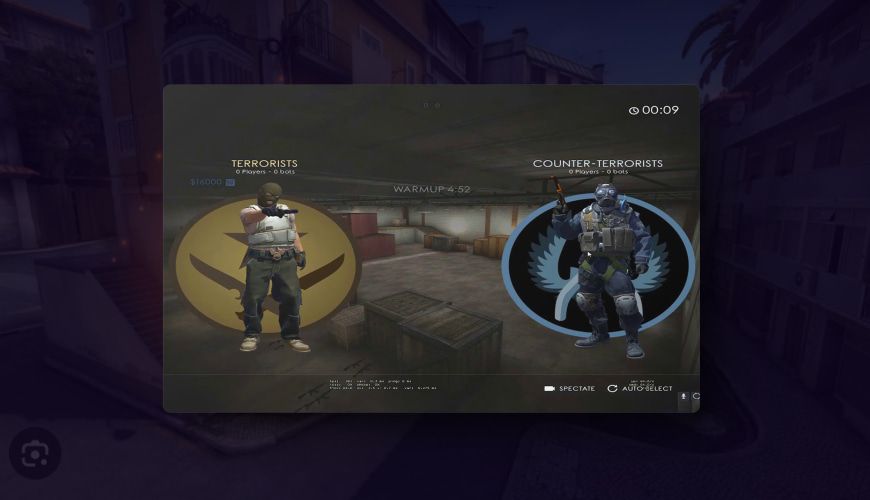
If you want to duel strangers, community servers are the best option. Many servers run 1v1 arena plugins that put players into separate small arenas, move winners up and losers down, and rotate opponents after every round.
To find one:
- Open the Community Server Browser. In the CS2 main menu, go to Play and open the Community Server Browser.
- Search for a 1v1 server. Use the search box with terms like "1v1", "arena" or "duel", and sort by ping.
- Join the server. Double-click the server or press Connect. You can also join from the console with
connect <server IP>if a community posts its address. - Read the server rules. Most arena servers have chat commands for choosing your preferred weapon round (rifle, pistol or AWP) and rules on camping or spawn killing.
How to Pick a Good 1v1 Server
- Ping comes first. Choose a server close to you; 1v1 duels are decided in milliseconds;
- Look for an active population. Arena servers work best with at least a few other players, so opponents rotate;
- Check the moderation. Servers with active admins and anti-cheat measures are worth the extra search time;
- Ask the community. Subreddits and Discord groups often recommend good regional 1v1 servers.
Wingman: The Closest Official Alternative
CS2 has no official 1v1 queue, but Wingman is the closest thing. It is a 2v2 competitive mode played on small maps and single bomb sites, with shorter matches than Premier or Competitive. You can queue alone or with one friend.
Wingman won't give you true 1v1s, but late-round 1v1 clutches happen in almost every match. It's a good way to practice duels against players of your skill level, with a Wingman rank to track your progress.
How to Host Your Own CS2 Server for 1v1 Tournaments
If you want a server that is always online, for a 1v1 league or a small tournament, you can run a CS2 dedicated server:
- Download it with SteamCMD. In CS2, the dedicated server shares app ID 730 with the game, so run
app_update 730 validatein SteamCMD; - Get a Game Server Login Token. A public server needs a token from Steam's game server account management page;
- Launch the server. Run
cs2.exe -dedicated +map de_dust2 +sv_setsteamaccount <your token>from the server's game/bin/win64 folder; - Configure it. Put your
mp_settings in a config file inside the game/csgo/cfg folder so they load automatically; - Add plugins if you need them. Community arena and tournament plugins run on modding frameworks such as Metamod:Source and CounterStrikeSharp.
Tips for Running a 1v1 CS2 Tournament
- Define the format. Single elimination works for small groups, while double elimination or a group stage gives everyone more matches;
- Publish clear rules. Set the maps, weapons, round count, buy settings and what happens if a player disconnects;
- Use a stable server. Pick a host close to most players and test it before match day;
- Organize a schedule. Give each match a time slot and share it with players in advance;
- Appoint an admin. Someone should be ready to settle disputes and handle technical problems;
- Stream or record the matches. Twitch or YouTube broadcasts help promote the next event;
- Offer prizes. CS2 skins, like the ones in our CS2 market, are a popular reward.
Tips for Winning 1v1s in CS2
- Warm up first. Spend 10 minutes in deathmatch or on an aim training map before playing duels;
- Know the map. Learn the common angles, callouts and timings on the maps you play;
- Work on crosshair placement. Keep your crosshair at head height where an enemy will appear. Our crosshair settings guide helps you set up a clear crosshair;
- Use utility. Flashbangs, smokes and Molotovs can push your opponent out of position or force them to take a fight on your terms;
- Adapt to your opponent. Watch how they peek, where they hold and how they react, then change your timing;
- Review your losses. Note what worked and what didn't after every match;
- Stay calm. Tilting after a lost duel costs you the next one.
A Few Words from Mannco Store
Playing 1v1 in CS2 is easy once you know where to look: host a private match with a friend, join a community arena server, or run your own server for a tournament. It's a great way to test your skills, practice new strategies and settle who really has the better aim.
Mannco Store can help you look the part with a wide range of:
- CS2 skins and items;
- Stickers;
- Knives and gloves.
With our extensive collection, you can customize your loadout and show off your style in every duel.
FAQ
Is there a 1v1 mode in CS2?
There is no official 1v1 matchmaking mode in CS2. You can 1v1 a friend in a private match, join a community 1v1 or arena server through the Community Server Browser, or play Wingman, the official 2v2 mode.
How do I start a private match with a friend in CS2?
Invite your friend to your lobby, then go to Play → Practice and start a map, or type map <map name> in the console. Use bot_kick to remove bots and mp_restartgame 1 to start.
Do I need sv_cheats for a 1v1?
No. Settings like mp_roundtime, mp_startmoney and mp_maxrounds work without it. You only need sv_cheats 1 for practice commands such as give, noclip and sv_infinite_ammo.
What is the best map for a 1v1 in CS2?
It comes down to preference. The compact maps from the Wingman rotation are a good size for duels, and Steam Workshop aim maps are ideal for pure aim battles.
Ähnliche Beiträge
CS2 (CS:GO) Jump Throw Bind in 2026: Banned? What Works
Jump throw binds stopped working in CS2 in August 2024. How to jump throw by hand in 2026, set up a scroll-wheel jump, and practice lineups.
CS2 (CS:GO) Anime Stickers: Best Picks for 2026
The best CS2 anime stickers in 2026, from Kawaii Killer T and CT to Water Gun, plus how anime stickers affect skin trading and value.
CS2 (CS:GO) Player Count in 2026: Popularity & Stats
How many people play CS2? Player counts as of October 2026 from Steam Charts, monthly trends since 2023, and what keeps Counter-Strike on top of Steam.